
How it works
Your AI learning path through CROODI
Parents hold the account. Learners complete guided missions under profiles you create — with PINs, progress you can see, no child-facing AI chat playground, and optional Listen read-aloud on supported browsers.
Getting started
Three steps to start building AI literacy at home
Create your family account
Sign up as the parent or guardian. Choose a plan when you're ready — or try a free mission first.
Add learner profiles
Pick a preset character, age group (5–7, 8–11, or 12–16), and a PIN for each child.
Learn through missions
Your child unlocks their profile, completes bite-sized lessons and quizzes (with optional Listen read-aloud), and earns XP and badges.
Parents in control
You direct the experience
CROODI is a parent-managed subscription. Learners are authorized users under your account, not independent customers.
Parent-gated account
Only an adult registers and agrees to our Terms and Privacy Policy. Children never create their own login.
Family profiles you manage
Add learners with preset characters and age groups — no child email, no real name required.
PIN-protected sessions
You set a 4-digit PIN per child for shared tablets and computers. You stay responsible for unlocked sessions.
No learner AI playground
Kids complete fixed lessons and multiple-choice quizzes — not a free-text chat box to an AI system.
Progress you can see
Review lesson history, XP, badges, and streaks per child from your parent dashboard.
Listen-friendly missions
Every lesson page can be read aloud with Listen — pause, rewind, and speed included. Parents can pick a reading voice per child. Browser read-aloud only; no voice recording.
Delete anytime
Edit or remove child profiles, manage billing through Stripe, and request data deletion when you need to.
Read more in our Terms of Service and Privacy Policy.
Safe AI learning — with COPPA-aligned privacy
No learner chatbot. Parent-managed accounts. Age-locked curricula.
CROODI is built for families who want to teach kids about AI without handing them an open-ended chat interface. Children use preset learner profiles under your account — we do not sell children's data. Read our full Children's online privacy (COPPA) section or visit our safety overview.
Every device
Responsive design that feels at home anywhere
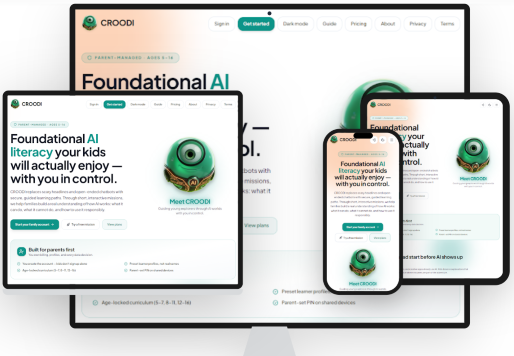
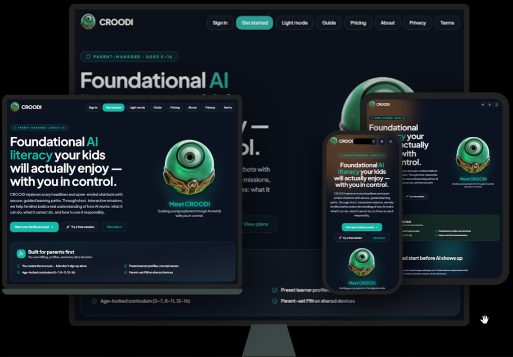
CROODI is built for real family devices — from a child's phone to a kitchen-tablet to your laptop — with light and dark themes that stay sharp in every browser.
Phone, tablet, and desktop
Layouts reflow for small screens, shared iPads, and laptops — so missions stay readable without pinch-zooming.
Modern browsers, one experience
Chrome, Safari, Firefox, and Edge on iOS, Android, Windows, and macOS — the same guided paths, tuned for each screen.
Light and dark mode
Bright surfaces for daytime learning or a calmer palette in the evening. Each learner profile keeps its own theme.
Use the sun / moon toggle in the header to preview light and dark mode on this page — the same preference follows each learner after sign-in.
Learning through play, not passive watching
Gamification here mirrors real learning: try an idea, get feedback, level up, and come back tomorrow — one clear concept per mission.
Daily missions
Bite-sized goals that fit between homework and dinner.
XP, levels & badges
Visible progress per profile so you can celebrate wins together.
Bento lesson slides
Story, vocabulary, fun facts, and try-it-now experiments — plus an optional Listen button so kids can hear each section read aloud.
Real AI concepts
Agents, patterns, responsibility, and ethics — age-appropriate, never overwhelming.
Quick answers
Common questions
Who creates the account?
Only a parent or guardian registers and agrees to our Terms and Privacy Policy. Children never sign up on their own.
Is there a free trial?
Yes. Try sample missions at /trial without creating an account, or sign up and explore when you're ready.
Where do I manage billing?
After sign-in, open Family Hub → Billing. If checkout succeeded but your plan hasn't appeared, use Sync payment from Stripe when shown, or refresh the page.
What is the default parent PIN?
New parent accounts use 0000 until you change it in Manage Profiles. Keep it private — it protects billing and family settings.
Can each child use dark mode?
Yes. Appearance is saved per learner profile and restores automatically when they pick their profile at sign-in.
Can my child listen to lessons instead of only reading?
Yes. Signed-in learners can tap Listen on each lesson page and quiz question. The app reads our fixed mission text aloud using your device's browser voices — with pause, resume, rewind, and speed controls. Parents can choose a reading voice per child in Manage profiles. We do not record your child's voice.
Does Listen work on the free trial?
Yes, where your browser supports read-aloud. Trial missions do not save progress, but Listen is available on supported devices.
Ready to build AI literacy together?
Try a free mission with no account, or create your family profile and start structured learning today.